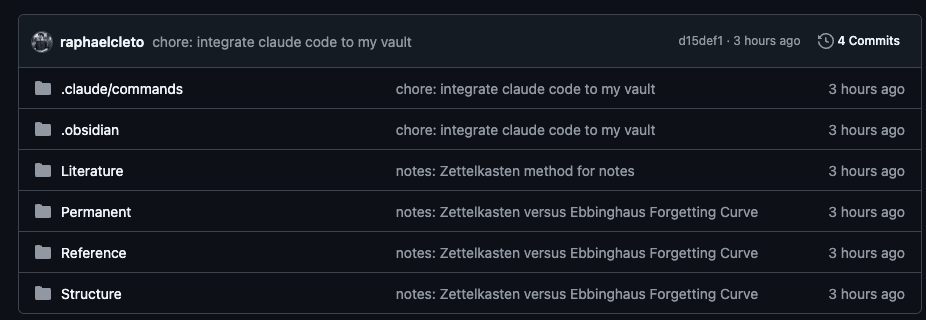
Why I'm Leaving Notion After 5 Years (Obsidian + Zettelkasten + Claude Code)
After 5 years and thousands of Notion notes, I discovered how Obsidian, the Zettelkasten method, and Claude Code can work together to build a smarter second brain.
For the first time in 5 years of Notion and thousands of notes written, I'm considering moving on to a new system.
A friend of mine recently introduced me to the concept of Zettelkasten. He's been using Obsidian for a couple of years now, paired with this way of organizing things.
At first, I was skeptical. I tried Obsidian back in 2021, and on the surface, this felt like another hype cycle. Oh boy, was I wrong (or maybe not?).
Bear in mind this post isn't trying to convince you of anything. I'll just describe what I found, and you can judge it for yourself.
Here's what caught my attention: he reminded me that Obsidian stores notes as .md files. You know what else understands .md files really well? Our friend Claude Code.
Now, you might think: sure, but navigating a massive notes archive through Claude Code would be a token nightmare. Fair point — unless you have a CLI to enable faster, targeted search.
Well, problem solved: Obsidian CLI is now available.
This had my undivided attention.
Zettelkasten: Framework introduction
This framework was invented by German sociologist Niklas Luhmann. He developed a system to link all his notes in an organized and expandable way.
Today it's easy to picture how linking works digitally, but in a paper-based system, things get messy fast. So Luhmann used unique identifiers to number each note in a way that allowed related concepts to be linked and existing concepts to be expanded.
The identifier scheme was simple:
1
    1a
        1a1
        1a2
    1b
        1b1
2
    ...
The first note gets the identifier 1. A second, unrelated note gets 2. But if you want to expand on the first note? That becomes 1a, then 1a1, 1a2, and so on.
Zettelkasten: Types of notes
Luhmann used 5 different types of notes:
- Fleeting: Captures whatever is on your mind, meant to be deleted later. Similar to what you probably do with Apple notes
- Reference: Captures someone else's thoughts, in their words, not yours.
- Literature: Your interpretation of a source: a book chapter, article, video, etc. Always tied to a source.
- Permanent: Tied to a concept or idea, independent of any source. It lives on its own and connects to other ideas through linking.
- Structure: A summary-like note that organizes and annotates the links between others.
All notes link to each other in meaningful ways. You know what handles note linking really well? Yeah, Obsidian.
Obsidian: The chosen tool
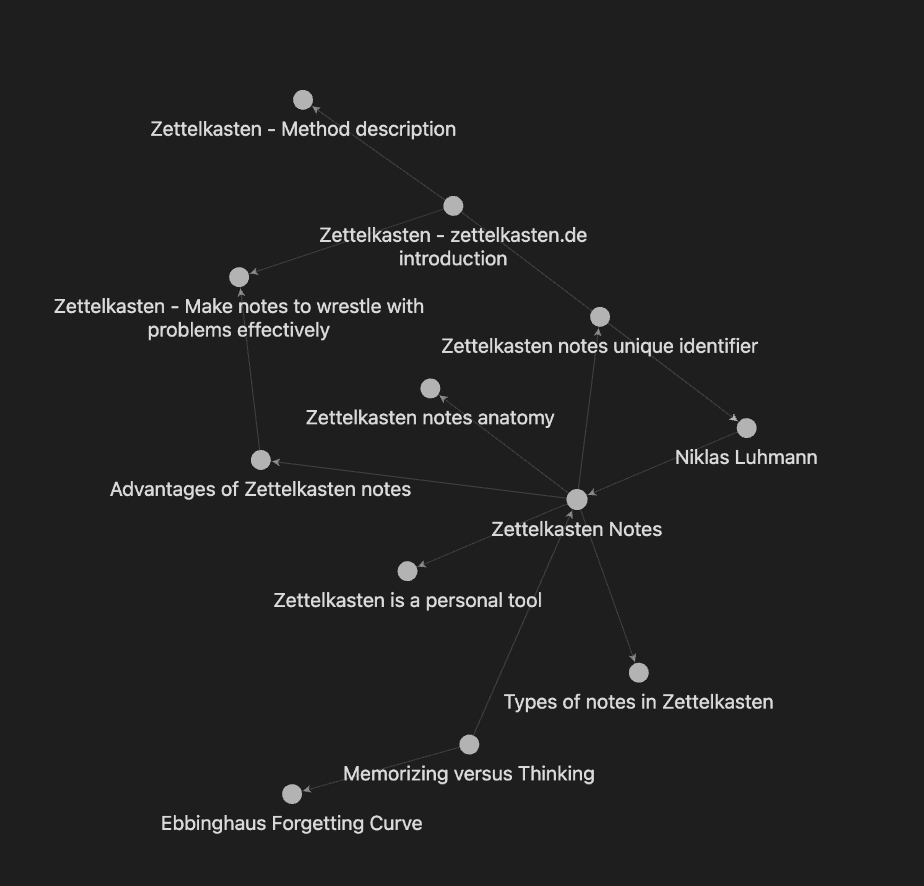
Note linking is core to Obsidian. Above is an image of an initial graph containing only Zettelkasten notes. You can see how related concepts cluster and connect. The graph is automatically generated from the links between notes.
Adding a link is as simple as typing [[note title]]. You can already see how things start connecting (lol).
Obsidian and Claude: Markdown files
Obsidian stores everything in what it calls a vault (a folder containing subfolders of Markdown files). The goal is to avoid vendor lock-in, which is their core value. You write everything locally, use their GUI for free (with cheap sync plans available for multiple devices), push to a Git repo, and switch tools whenever you want.
Being Markdown-based turns out to be a huge advantage right now. AI agents understand .md files really well, which opens up a wide variety of tools you can build using your Obsidian notes as context.
It doesn't stop there. You can set up semantic search without a vector database. I had it running in under 2 minutes, and the best part: minimal token waste, thanks to the CLI.
Here's my Claude command skill for navigating my second brain:
Search the Obsidian vault for notes relevant to: $ARGUMENTS

Steps:

1. Run the Obsidian CLI search and capture results:

   obsidian search query="$ARGUMENTS" format=json

   If it fails (CLI not in PATH), try without format flag:

   obsidian search query="$ARGUMENTS"

2. Parse the output to extract matched file paths.

3. Read only the top 5 matched files.

4. Rank them by semantic and conceptual relevance to the original query — consider themes and meaning, not just keyword overlap.

5. Return results in this format:

   ***

   **[Note Title]** — `path/to/note.md`

   > One sentence on why this note is relevant to the query.

   ***

If the CLI is not available, tell the user to enable it in Obsidian → Settings → General → Command line interface.
If no results are found, suggest alternative search terms.
And the best part? This skill file lives inside my Obsidian vault itself — just store it in a dotfolder and it won't interfere with your notes.